Ease operational and IT concerns without sacrificing productivity
As organizations continue to embrace hybrid models, the focus has shifted from enabling remote access to building secure distributed work environments that scale. Employees now operate across offices, homes, and mobile locations—expanding both opportunity and risk.
For IT and operations leaders, the challenge is clear: how do you deliver secure distributed work that protects data, maintains compliance, and ensures reliability—without disrupting the user experience?
The answer lies in rethinking security and infrastructure for how work actually happens today.
Building on Zero Trust for Secure Distributed Work
Traditional perimeter-based security can’t support secure distributed work. With users and devices accessing resources from anywhere, trust must be continuously verified.
A Zero Trust approach is essential to enabling secure distributed work environments. The model assumes no implicit trust and requires validation at every access point.
Key practices include:
- Strong identity management with tools like Microsoft Entra ID (Azure AD) or Okta for identity and access control
- Multi-factor authentication (MFA) using platforms such as Microsoft Authenticator or Duo Security
- Conditional access policies driven by risk signals and device posture
- Least-privilege access enforced through identity governance tools
These solutions form the backbone of secure distributed work by ensuring every access point is verified and controlled.
Securing Devices, Data, and Collaboration Tools
Secure distributed work depends on protecting the endpoints, platforms, and information employees use every day.
Devices
Endpoints are the entry point to your environment:
- Manage devices with Microsoft Intune or VMware Workspace ONE
- Use Microsoft Defender for Endpoint or CrowdStrike for endpoint detection and response (EDR)
- Enforce compliance policies for both corporate and BYOD devices
Data
Data protection is central to secure distributed work:
- Classify and label data using Microsoft Purview Information Protection
- Encrypt data with built-in cloud and endpoint encryption tools
- Apply data loss prevention (DLP) through Microsoft Purview or Symantec DLP
Collaboration Tools
Modern collaboration platforms must be secured without limiting usability:
- Use Microsoft Teams, SharePoint, and OneDrive with built-in compliance and security controls
- Manage external sharing and guest access through governance policies
- Apply retention and legal hold policies for compliance

A secure distributed work strategy ensures that protection follows the user—not just the network—across all of these tools.
Reliability Expectations for Critical Meetings
Secure distributed work isn’t only about protection—it’s also about performance.
Meetings are mission-critical in hybrid environments. Teams rely on video, voice, and real-time collaboration to drive decisions and maintain momentum.
To support reliable distributed work:
- Host meetings on enterprise-grade platforms like Microsoft Teams or Zoom with global infrastructure
- Optimize network performance using SD-WAN solutions such as Netgear Insight-managed routers, switches and VPN-enabled gateways or Cisco SD-WAN
- Monitor call quality with tools like Microsoft Call Analytics and endpoint telemetry
- Ensure redundancy and failover through cloud-based collaboration services
Reliability directly impacts productivity and business continuity. A secure distributed work environment must also be a dependable one.
Balancing User Experience with Protection
One of the most important aspects of secure distributed work is ensuring that security enhances—rather than hinders—the user experience.
Modern security should be:

- Context-aware, using risk-based conditional access
- Automated, through tools like Microsoft Defender XDR or Sentinel SIEM
- Integrated, with single sign-on (SSO) across platforms
- User-centric, aligning security policies with real-world workflows
When security tools are integrated and intelligently configured, users experience less friction while IT gains stronger control and visibility.
How Microsoft Teams Enables Secure Distributed Work
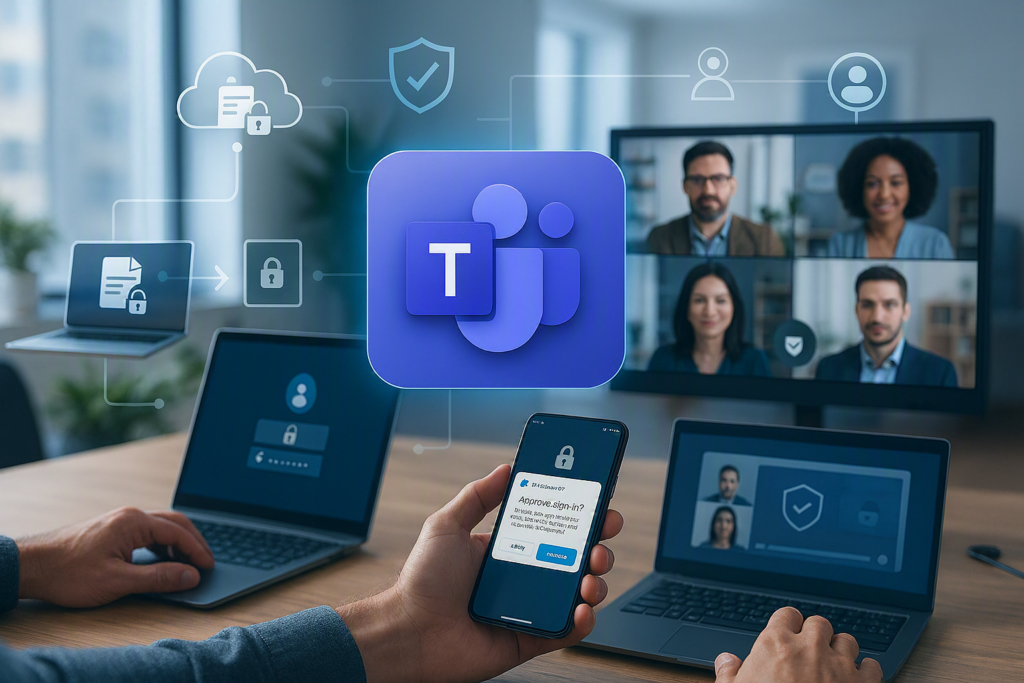
Microsoft Teams is more than a collaboration tool—it’s a core platform for enabling secure distributed work when configured correctly. Because it’s built within the Microsoft 365 ecosystem, Teams inherits enterprise-grade security, compliance, and identity controls by design.
Here’s how Teams supports secure distributed work:
Built-in Identity and Access Security
Teams integrates directly with Microsoft Entra ID (Azure AD), ensuring that every user, device, and session is authenticated and governed:
- Single sign-on (SSO) simplifies access while maintaining control
- Multi-factor authentication (MFA) protects against credential compromise
- Conditional access policies restrict access based on location, device compliance, or risk
Data Protection and Compliance
Every conversation, file share, and meeting in Teams is backed by Microsoft’s security framework:
- Data encryption in transit and at rest
- Sensitivity labels to classify and protect content
- Data loss prevention (DLP) policies to prevent accidental sharing
- Retention policies and eDiscovery for compliance and legal requirements
Secure Collaboration Across Boundaries
Hybrid work requires collaboration beyond internal teams:
- Guest access and external sharing controls ensure collaboration without exposing sensitive data
- Information barriers can restrict communication between groups when needed (e.g., compliance scenarios)
- Audit logs and activity monitoring provide visibility into user actions
Secure and Reliable Meetings
Teams meetings are designed for both security and reliability:
- Meeting policies control who can present, record, or bypass the lobby
- End-to-end encryption (E2EE) options for sensitive meetings
- Live monitoring and call analytics ensure performance and troubleshooting
Teams enables organizations to bring communication, collaboration, and security together—making it a central pillar of secure distributed work.
The Role of Managed IT Services in Secure Distributed Work
While platforms like Teams provide powerful capabilities, configuring and maintaining a secure distributed work environment requires ongoing expertise. This is where managed IT services play a critical role!
Strategic Implementation
Managed IT providers help design and deploy secure distributed work environments aligned to business needs:
- Implementing Zero Trust architecture
- Configuring Microsoft 365, Teams, and security tools correctly from the start
- Aligning security controls with compliance requirements
Continuous Monitoring and Threat Response
Security isn’t a one-time setup—it’s an ongoing process:
- 24/7 monitoring of endpoints, identities, and collaboration platforms
- Threat detection and response using tools like Microsoft Defender and SIEM solutions
- Proactive remediation to reduce risk before it impacts users
Optimization for Performance and Reliability
Managed services ensure collaboration tools perform consistently:
- Monitoring Teams call quality and network performance
- Optimizing infrastructure for hybrid environments
- Resolving issues before they disrupt critical meetings
User Experience and Support
A key benefit of managed IT is reducing friction for end users:
- Supporting secure access without complexity
- Providing help desk and user training
- Continuously refining policies to balance protection with usability
Bringing It Together
Microsoft Teams provides the secure foundation for collaboration, but managed IT services ensure that foundation is properly built, monitored, and optimized.
Together, they enable organizations to deliver secure distributed work that is:
- Protected by design
- Reliable in execution
- Seamless for users
The result is an environment where employees can collaborate freely—and securely—no matter where work happens.
The Takeaway
Secure distributed work doesn’t need to feel restrictive.
By adopting Zero Trust principles, leveraging tools like Microsoft 365, Defender, Intune, and Teams, and ensuring both reliability and usability, organizations can create hybrid environments that are secure, compliant, and resilient.
The goal isn’t just to reduce risk—it’s to enable the business to operate confidently in a distributed world—without slowing people down.